How to Stream Music on Smart Glasses?
I remember sitting in a crowded terminal at O’Hare, trying to juggle a lukewarm coffee, a heavy carry-on, and those white wired earbuds that used to get tangled if you even looked at them wrong. I felt like a mess. Fast forward to today, and I’m walking through that same terminal with a pair of frames that look like my standard Wayfarers, but they’re pumping a remastered Pink Floyd track directly into my ears. No wires, no bulky cans, and—most importantly—no “plugged-in” feeling where I can’t hear the boarding announcement for my gate.
Learning how to stream music on smart glasses has been the single biggest upgrade to my daily commute and my general sanity. But if you’ve just unboxed a pair of Ray-Ban Metas, Solos, or the new RayNeo Air 4s, you might realize the manual is a bit thin. There’s a specific “knack” to getting these things to sound good and stay connected.
The Real Deal on How This Works
Before we get into the “how-to,” let’s talk about what’s actually happening in those stems. Most people think these are just tiny speakers. In the industry, we call this “Open-Ear Architecture.”
I spent some time talking to engineers back when the first generation of smart audio was hitting the FCC for certification. The challenge isn’t just making a small speaker; it’s phase cancellation. To stream music on smart glasses without everyone on the bus hearing your guilty-pleasure 80s pop, the glasses actually fire sound waves that are out of phase with the leak. It’s brilliant tech that keeps your music private-ish, though if you crank it to 100% in a library, people will definitely know you’re listening to Carly Rae Jepsen.
Setting Up Your iPhone: The “It Just Works” (Mostly) Path
If you’re on an iPhone, the process is usually slick, but there are some iOS-specific quirks I’ve run into that the box doesn’t tell you about. I remember the first time I tried to pair a pair of Lucyd Lyte frames; I thought they were broken because they wouldn’t show up in my Bluetooth list.
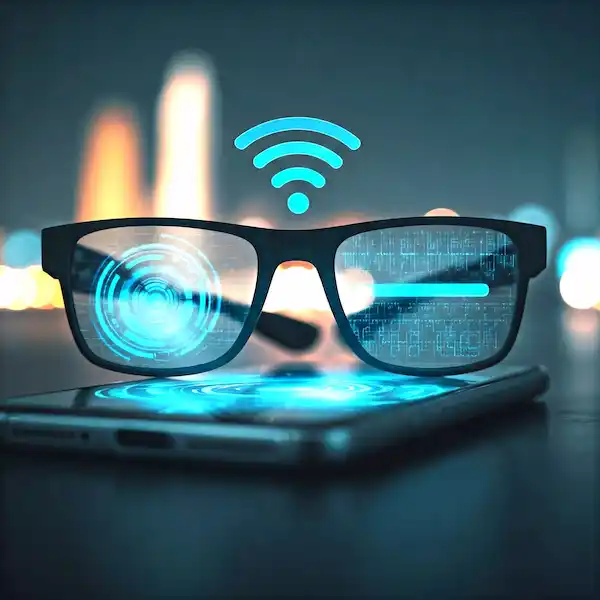
- The Initial Handshake: You’ll go into Settings > Bluetooth. Most glasses require you to hold a physical button on the temple for about 5 to 7 seconds to enter “Discovery Mode.” On the Ray-Ban Metas, it’s a discrete slider on the inside of the left hinge. Look for a blinking white or blue LED.
- The App Barrier: For many of these, like the Oakley Vanguards or the newer Solos, you have to download their proprietary app first. Don’t skip this. I tried to bypass the app once with a pair of Bose Frames and the firmware got stuck in a loop. The app usually handles the “handshake” better than the native iOS Bluetooth menu and checks for critical updates.
- AirPlay Routing: Here’s a pro tip: Swipe down to your Control Center. Tap the little “pyramid with circles” icon (the AirPlay icon) in the top right of the music widget. Sometimes iOS defaults back to the phone speaker even when the glasses are connected. Manually selecting your glasses here ensures a stable, high-priority stream.
One thing I’ve noticed with iPhones is that “Headphone Safety” settings can be a buzzkill. iOS likes to throttle the volume if it thinks you’re damaging your hearing. Since smart glasses sit outside the ear, the perceived volume is naturally lower than earbuds. You might need to go to Settings > Sounds & Haptics > Headphone Safety and turn off “Reduce Loud Sounds” to actually hear your music while walking near heavy traffic or construction.
The Android Experience: Customization is King
Android users have it a bit differently. When I tested these on a Pixel 8 and a Samsung S23, the connection felt “rawer” and more customizable.
- Google Fast Pair: If your glasses support it, a little window will pop up at the bottom of your screen the moment you put the frames in pairing mode. It’s magic—one tap and you’re in.
- Codec Tweaking: This is where the industry insider stuff comes in. If you want to stream music on smart glasses and have it actually sound like high-fidelity audio, you need to look at the Bluetooth Codec. Android lets you into the “Developer Options” (tap your Build Number 7 times in ‘About Phone’). Once inside, you can manually force the bitrate higher for AAC. It makes a massive difference in the “fullness” of the bass, which is usually the weakest part of audio eyewear.
- Media Output (Samsung Users): Samsung has a feature called “Separate App Sound.” I love this. I can set it so my Spotify always streams to my glasses, but if I pull up a YouTube video to show a friend, the audio for that video plays out of the phone speaker. It prevents those awkward moments where your music cuts out because you clicked on a muted ad in your browser.
How to Use Various Streaming Services
While these glasses act as standard Bluetooth outputs, each app has its own “vibe” and specific settings you should tweak to get the most out of your hardware.
1. Spotify (The Integration King)
Spotify has gone out of its way to partner with hardware manufacturers.
- Spotify Tap: If you own Ray-Ban Meta glasses, you can set a “gesture” (like a long press on the temple) to start Spotify immediately. It doesn’t just open the app; it plays a “recommended” track based on your current mood and the time of day.
- Data Saver Mode: If you’re out on a long hike and worried about battery, Spotify’s “Data Saver” reduces the processing load on your phone, which indirectly helps the glasses maintain a more stable connection with less “packet loss” (those annoying stutters).
2. Apple Music
The biggest benefit here is Spatial Audio.
- Spatial Audio: Even though smart glasses aren’t “sealed,” Apple’s Dolby Atmos tracks can sound surprisingly airy on them. It creates a wider “soundstage.” I remember listening to Bohemian Rhapsody while walking through a park; it felt like the choir was standing ten feet away from me.
- Siri Commands: On iPhone, you don’t even need to touch your glasses. “Hey Siri, play my Chill Mix” is remarkably responsive because the microphones on smart glasses are positioned closer to your mouth than your phone’s mic is.
3. Tidal & Qobuz (The Audiophile Trap)
I’ll be honest with you: don’t pay for the highest-tier Hi-Res Lossless if you only listen through smart glasses.
- Hardware Limitation: Because these are open-ear, you lose the subtle nuances of 24-bit audio to the sound of the wind or passing cars.
- The Fix: Go into the Tidal settings and set your “Mobile Streaming” quality to High (16-bit, 44.1kHz). It sounds identical to the “Max” setting on this hardware but saves your data and reduces the chance of the audio dropping out in high-interference areas like train stations.
4. YouTube Music
YouTube Music is great because it has a huge library, but it can be a battery hog.
- Audio-Only Mode: Make sure you toggle the “Song” button at the top of the screen rather than “Video.” If your phone is trying to stream the video data in the background, it creates more heat and battery drain, which can sometimes cause the Bluetooth signal to “stutter” if the phone’s CPU is throttled.
5. Audible & Podcasts
This is actually my favorite way to stream music on smart glasses—or rather, stream audio.
- Narrative Clarity: Because smart glasses emphasize the “mids” (the frequency where human voices live), audiobooks sound incredibly crisp. I’ve gone through entire 40-hour biographies just by wearing my glasses while doing the dishes or walking the dog.
- Sleep Timer: I often set a sleep timer on Audible. The glasses are comfortable enough that I can lay on a hammock and listen, and they’ll automatically shut off when the timer hits zero.
The Sound Quality Reality Check: Physics vs. Feeling
Let’s be honest: you aren’t getting the bone-rattling bass response of a pair of over-ear Sony XM5s or Bose QuietComforts. Physics is a cruel mistress. Because there’s no seal in your ear canal, the low-end frequencies (the “thump”) just dissipate into the air.
However, there’s a trick I use. It’s all about the “sweet spot.” I noticed that when I first got my Solos, they sounded thin and tinny. I realized they were sitting too high on my ears. Most smart glasses have speakers located just in front of or behind the tragus (that little bump on your ear). If your frames are sliding down your nose, you’re losing 40% of your volume. I use tiny “eyeglass ear hooks” (you can find them for three dollars) to keep the speakers perfectly aligned with my ear canals. It’s a game-changer for the acoustic profile.
Another insider secret? The “Echolocation” effect. If you are indoors and stand near a wall, the sound waves will bounce off the wall and back into your ears, making the music sound much louder and bassier. I often find myself “leaning” into corners when my favorite part of a song comes on.
Battery Life: The Truth They Don’t Tell You
Here is the truth the manufacturers hide in the footnotes: if you stream music on smart glasses at 80% volume, you aren’t getting the “6 hours of battery life” advertised on the box. You’re getting three. Maybe four if the weather is warm (lithium batteries hate the cold).
In my experience, the Bluetooth 5.2 and 5.3 chips in newer frames are much more efficient. If you’re buying used, be careful. Anything with Bluetooth 4.2 is going to die before you finish your morning playlist. I always keep my charging case in my jacket pocket. It’s not just a case; it’s a life-support system for your vibes. I’ve learned the hard way that a 20-minute “top-off” charge while I’m grabbing lunch can give me enough juice to last the entire afternoon.
Why You Should (or Shouldn’t) Care About Voice Assistants
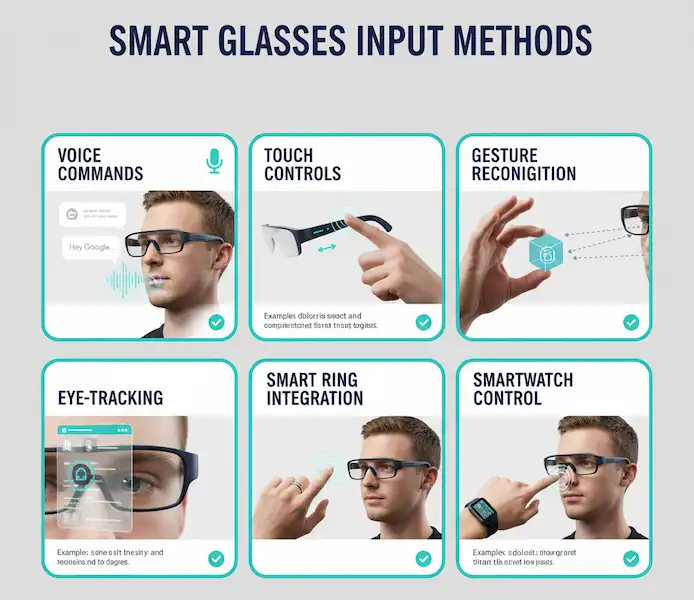
Most of the time, I find talking to my glasses in public makes me look like I’m having a breakdown. But, if you’re riding a bike or your hands are full of groceries, “Hey Siri” or “Hey Google” is essential for music control.
The microphone arrays on these things are surprisingly good at “beamforming”—that is, ignoring the wind and focusing on your voice. I’ve taken calls while cycling at 15mph, and the person on the other end didn’t even know I was outside. If you want to stream music on smart glasses while staying active, make sure you enable the “Always-on Mic” in the settings, though be aware it will ding your battery life by about 10-15%.
Privacy and the “Eavesdrop” Factor
I get asked this all the time: “Can people hear my music?” The answer is: “In a quiet elevator, yes. On a city street, no.” At 50% volume, the person standing next to you might hear a faint tinny buzzing, similar to someone using cheap earbuds. But because of the directional speakers—tech often borrowed from companies like Knowles—the sound is aimed specifically at your ear. It’s a bit like a “sonic laser.” If you’re worried about privacy, keep the volume at 40% and use a custom EQ in your app to boost the treble; it makes the lyrics clearer to you without increasing the “leakage” for others.
The “Stuck” Connection: Troubleshooting 101
If you try to stream music on smart glasses and nothing happens, don’t panic. 90% of the time, it’s a “Multipoint” conflict.
Multipoint is the tech that lets your glasses connect to your phone and your laptop at the same time. It sounds great on paper, but it’s often a disaster. If your glasses are “connected” but silent, check if they’ve secretly grabbed the audio signal from your iPad in your backpack that’s currently playing a muted YouTube ad. I usually turn off Bluetooth on my secondary devices to keep the “pipe” clear for my music.
Another “insider” tip: if the audio is stuttering, it’s often 2.4GHz interference. If you’re standing right next to a microwave or a high-powered Wi-Fi router, the tiny antenna in the glasses’ temple can get overwhelmed. Move five feet away, and it usually clears up.
The Future: What’s Coming Next?
I’ve seen some prototypes involving bone conduction (sending sound through your skull) combined with open-ear speakers. The goal is to fill in that missing bass. Companies like Vuzix and Even Realities are pushing the boundaries of how we integrate audio with AR. Soon, your music won’t just be sound; it’ll be a spatial experience where the “band” feels like they’re standing in the room with you.
For now, though, the ability to stream music on smart glasses is about freedom. It’s about walking through the world with a personal soundtrack that doesn’t isolate you from the environment. It’s about hearing the birds chirping and the bass line of a Tame Impala song simultaneously. It’s a weird, hybrid way to live, and honestly, I don’t think I can go back to regular glasses.
Frequently Asked Questions (FAQ)
Can I stream music on smart glasses without my phone nearby? Generally, no. Most smart glasses are “dumb” terminals for your phone’s audio. They don’t have internal storage for MP3s (with a few exceptions like the old Snap Spectacles or certain fitness-specific frames). You need to stay within about 30 feet of your phone.
Will streaming music drain my phone battery faster? Not significantly more than using regular Bluetooth headphones. The heavy lifting is done by the phone’s processor. The real battery drain happens on the glasses themselves because they have much smaller batteries than a phone.
Do I need a special app to stream music on smart glasses? You need the manufacturer’s app for the initial setup and firmware updates. However, once they are paired, you can use any app—Spotify, Apple Music, Audible, or even TikTok—and the audio will automatically route to the glasses.
Can I use smart glasses as a hearing aid? Some models have a “transparency mode” or “speech enhancement” feature, but they are not FDA-approved hearing aids. If you have hearing loss, check out Nuance Audio for glasses specifically designed for that purpose.
What happens if I get a phone call while I stream music on smart glasses? The music will fade out (or pause, depending on your settings), and the glasses will ring. You can usually tap the temple to answer. Once you hang up, the music kicks back in. It’s seamless.
Are they waterproof? Can I listen to music in the rain? Most are IPX4 rated, which means “splash-proof.” A light drizzle is fine while you stream music on smart glasses, but don’t go swimming in them. You’ll fry the speakers and the Bluetooth module instantly.
Why does the audio cut out when I turn my head? This is usually “body shielding.” Bluetooth signals can’t travel through water (and your body is mostly water). If your phone is in your back-left pocket and the Bluetooth receiver is in the right temple of the glasses, your head might be blocking the signal. Try moving your phone to a front pocket.
Technical Deep Dive: Understanding Bitrates
For those who really want to geek out, when you stream music on smart glasses, the “SBC” (Subband Coding) codec is the baseline. It’s what every device supports. If you’re an audiophile, you want to see “AAC” (Advanced Audio Coding) support, especially on iPhone.
If you’re looking at higher-end glasses, look for the Qualcomm Snapdragon Sound certification. This ensures that the latency (the delay between the phone and the glasses) is kept to a minimum. This doesn’t matter much for music, but if you’re watching a movie, it prevents the “bad dubbing” effect where the lips don’t match the sound.
The Verdict: Is it Worth It?
If you’re a hiker, a gardener, or someone who spends a lot of time walking, being able to stream music on smart glasses is a revelation. It’s about the “un-encapsulated” life. You stay present. You stay aware. And you get to have a theme song playing while you do it.
The tech is finally at a point where the glasses don’t look like a sci-fi prop. They just look like glasses. And that, to me, is the real victory. Whether you’re an Android devotee or an iPhone lifer, the barrier to entry is gone. Just put them on, hit play, and let the world blend with your playlist.
Additional helpful information:
- General information about how to listen to music on smart glasses – Listen to Music on Smart Glasses
- Additional media related information – How to Capture Photos and Videos with Smart Glasses?
- Learn more about the Solos Air smart glasses – Solos Air Smart Glasses: Setup, Troubleshooting & Best Apps Guide