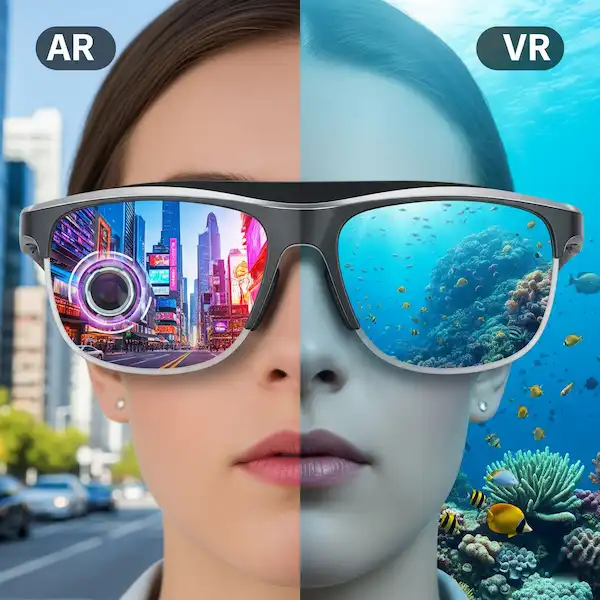
AR vs VR Glasses Defining the Experiences
Buying into the future isn’t just about the hardware; it’s about how much of the real world you’re willing to leave behind. Over the last decade, I’ve had everything from the original “cyborg-chic” Google Glass to the latest heavy-hitting VR rigs strapped to my face. I’ve tripped over my own coffee table in virtual reality and walked through city streets with digital arrows floating in the air.
If you’re currently staring at your Android or iPhone wondering which “reality” you should invest in, you aren’t alone. The lines have blurred so much that even the experts get confused. But there is a massive difference between Augmented Reality (AR) glasses and Virtual Reality (VR) headsets, and picking the wrong one is an expensive mistake.
The Moment I Realized the Difference
A few years back, I was testing a high-end VR headset. I was “in” a deep-sea diving simulation. It was breathtaking—sharks circling, the sound of bubbles, the sheer scale of the abyss. Then, my dog decided it was dinner time and barked. I jumped so hard I nearly pulled my PC off the desk because I was tethered by a cable and completely blind to my living room.
That is the “VR Experience.” It is a total sensory takeover.
A week later, I was testing a pair of XREAL Air AR glasses (connected to my Android phone) while sitting on a train. I was watching a movie on a massive 130-inch virtual screen that seemed to float over the seat in front of me. However, I could still see the conductor walking down the aisle and the station stops through the lens.
That is the “AR Experience.” It’s an overlay, an enhancement of what’s already there.
Defining the Two: AR vs VR
1. Augmented Reality (AR) Glasses
AR glasses are designed to be worn. Not just “used,” but worn. They look (mostly) like chunky sunglasses. Their goal is to keep you grounded in the physical world while layering digital information—like maps, texts, or a giant floating Netflix window—on top of it.
- How they work: Most consumer AR glasses, like the XREAL Air 2 or Rokid Max, use “Birdbath” optics. They project an image from a tiny micro-OLED screen onto a semi-transparent lens.
- The “Vibe”: It’s like having a translucent monitor following your head.
- Best for: Commuting, working on “private” screens in public, and lightweight gaming.
2. Virtual Reality (VR) Headsets
VR is a closed system. When you put on a Meta Quest 3 or a Valve Index, the real world vanishes. You are encased in a plastic box with two screens positioned inches from your eyes.
- How they work: High-resolution displays and magnifying lenses cover your entire field of vision. The device tracks your head movement with millimeter precision, so when you turn your head in your living room, your character turns in the digital world.
- The “Vibe”: It’s an escape pod. You aren’t at home; you’re in the game.
- Best for: Immersion, fitness, social hangouts (VRChat), and high-fidelity gaming.
Android vs. iPhone: The Connectivity Battle
If you’re reading this on your phone, you probably want to know: Will these glasses work with what I have in my pocket?
The Android Experience
Android has historically been the “Wild West” for AR. Because many Android phones (like the Samsung Galaxy S-series) support USB-C DisplayPort Alt Mode, you can literally plug most AR glasses directly into the phone and they just work.
I’ve spent hours using Samsung DeX through AR glasses. It turns your phone into a full desktop computer that exists only in your glasses. You can have a keyboard and mouse connected via Bluetooth and work in a coffee shop while people think you’re just wearing cool shades.
The iPhone Experience
Apple changed the game with the iPhone 15 and 16. Now that the iPhone uses USB-C, it’s much easier to plug-and-play with AR glasses. However, Apple’s ecosystem is more restrictive. While you can mirror your screen easily, getting “Spatial” features (like windows that stay pinned in one spot in the air) often requires specific apps like Beam or Nebula.
And of course, there’s the Apple Vision Pro. Apple calls it “Spatial Computing,” but let’s be real: it’s a high-end VR headset that uses incredible cameras to show you the real world (Passthrough AR). It’s the bridge between both worlds, but it costs as much as a used car.
Comfort and Social Friction: The “Stare” Factor
One thing the tech reviewers rarely mention is the social aspect.
When I wear VR, I’m in my house. My wife knows not to sneak up on me, and the biggest danger is me punching a lamp while playing Beat Saber. There is no social friction because nobody sees me.
AR is different. I’ve worn AR glasses at a Starbucks. People look at you. They aren’t sure if you’re filming them (most consumer AR glasses don’t actually have cameras for privacy reasons, but people don’t know that). However, the comfort is unmatched. AR glasses weigh about 75–80 grams. A VR headset weighs 500+ grams.
If you want to watch a 3-hour movie, your neck will thank you for choosing AR. If you want to lose 5 pounds by sweating in a boxing simulator, you need the strap-heavy security of VR.
The “Smart Glasses” Confusion
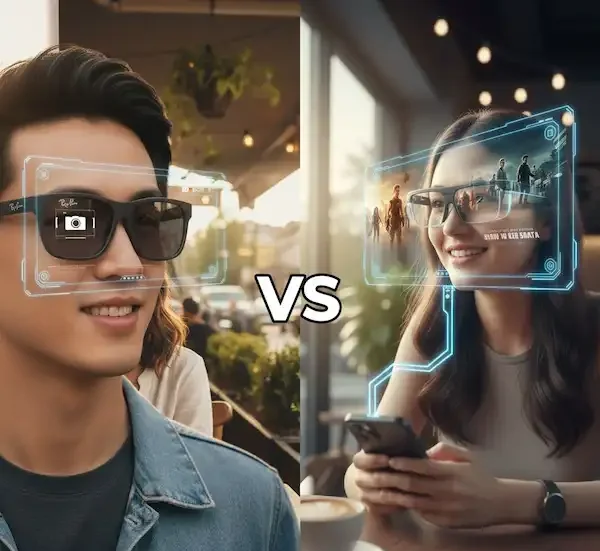
We need to clear something up. Smart glasses are NOT necessarily AR glasses. The Ray-Ban Meta glasses are “Smart Glasses.” They have cameras, speakers, and AI. They can tell you what you’re looking at, take photos, and play music. But they have no screens. There is nothing to see inside the lens.
True AR glasses (like the Magic Leap 2) have actual displays. Don’t get caught buying “Smart Glasses” expecting to watch YouTube inside the lens; you’ll be disappointed.
Breaking Down the Specs: What Actually Matters?
| Feature | AR Glasses | VR Headsets |
| Field of View (FOV) | Narrow (45–50 degrees). Like looking at a screen. | Wide (90–110 degrees). Like being inside a room. |
| Portability | Fits in a pocket or small case. | Needs a dedicated bag. |
| Battery | Usually powered by your phone. | Internal battery (2–3 hours) or plugged into a PC. |
| Tracking | 3DoF (rotational) or 6DoF (positional). | Mostly 6DoF (you can walk around). |
| Price | $300 – $700 | $300 – $3,500+ |
My Recommendation: Which One Should You Buy?
You should buy AR Glasses if:
- You travel a lot and want a “private cinema” on planes or trains.
- You want a secondary monitor for your laptop/Steam Deck/Phone.
- You don’t want to be “cut off” from your family while using tech.
- You’re a “productivity geek” who wants to work on multiple virtual screens.
You should buy a VR Headset if:
- You are a gamer who wants the most immersive experience possible.
- You want to use VR for fitness (apps like Supernatural are life-changing).
- You want to socialize in 3D environments.
- You want to experience “Spatial Computing” without the limitations of a tiny glasses frame.
Final Thoughts: The Reality of the Future
We are in the “clunky” phase of this technology. It reminds me of the early 2000s when cell phones were bricks.
In ten years, your prescription glasses will probably be your smartphone. But today, you have to choose your trade-off. Do you want the portability and “heads-up” utility of AR, or the mind-bending, world-erasing power of VR?
Personally? I keep both. I use my AR glasses for the 5-hour flight to see my parents, and I use my VR headset to play Half-Life: Alyx on the weekends. But if you’re just starting out, grab a pair of AR glasses and plug them into your iPhone or Android. The first time you see a 100-inch screen floating in your living room, you’ll realize there’s no going back.
Frequently Asked Questions (FAQ)
1. Do AR glasses cause eye strain?
Any screen close to your eyes can cause strain, but AR glasses use “optical infinity” or “far-focus” tech. The image appears to be 6–10 feet away, which is actually easier on your eyes than staring at a smartphone 10 inches from your face. However, I always suggest the 20-20-20 rule: every 20 minutes, look at something 20 feet away for 20 seconds.
2. Can I wear them with prescription glasses?
In VR, most headsets (like the Quest 3) have enough room for frames, or you can buy “prescription inserts.” For AR glasses, because they sit close to your face, you almost always need to buy custom prescription inserts that magnetically clip into the glasses. Check out companies like Lensology for these.
3. Does AR/VR work with my old Android phone?
For AR glasses, your phone must support “DisplayPort Alt Mode” over USB-C. Most budget Android phones don’t have this. Check your specs! If your phone doesn’t support it, you’ll need an expensive adapter or a dedicated “compute box” like the XREAL Beam.
4. Is the Apple Vision Pro AR or VR?
Technically, it’s a Mixed Reality (MR) headset. It is built like a VR headset (opaque screens), but it uses high-speed cameras to show you the room in real-time. It’s the most advanced version of “Passthrough” on the market, but it’s much heavier than standard AR glasses.
5. Will AR glasses replace my phone?
Not yet. Right now, they are an accessory to your phone. They rely on your phone’s processor and battery. Think of them as a “face-worn monitor” rather than a standalone computer.
Additional helpful information
- More information about how smart glasses use AR – How Smart Glasses Use Augmented Reality
- Learn more about XREAL Beam smart glasses – XREAL Beam Pro vs XREAL Beam: Which Spatial Computing Hub is Better?
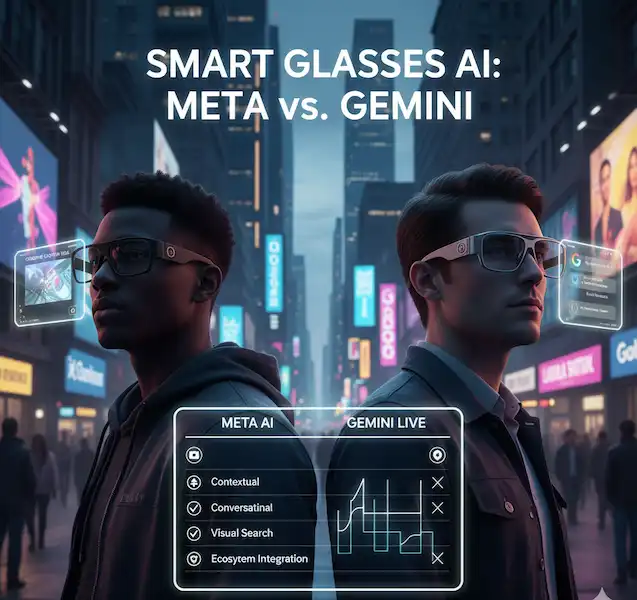
- Here are more details about comparing AI for Smart Glasses – Smart Glasses AI Comparison – Meta AI vs. Gemini Live
- Learn about Android XR for smart glasses – Android XR Smart Glasses A Beginners Guide to OS
Authoritative External Sources
General Overviews and Differences
- Coursera: “Augmented Reality vs. Virtual Reality: What’s the Difference?”
- Intel: “Virtual Reality vs. Augmented Reality vs. Mixed Reality”
Uses and Applications
- SMU (Southern Methodist University): “Virtual Reality vs Augmented Reality: Comparative Analysis”
- Imaginovation: “Applications of AR & VR: Explained with Examples”
The Future of Reality
- CNET: “The Future Beyond Meta Quest and Vision Pro Is Coming in Glasses Form. What Will VR Look Like Then?”
- Ciklum: “AR/VR Trends and Predictions For 2025 & Beyond”
References & Authoritative Sources:
The Health Effects of VR – Harvard Healthure and become more accessible, they promise to unlock unprecedented ways to experience information, interact with our surroundings, and connect with each other, reshaping our digital and physical realities in profound ways.
What is Augmented Reality? – Franklin Institute