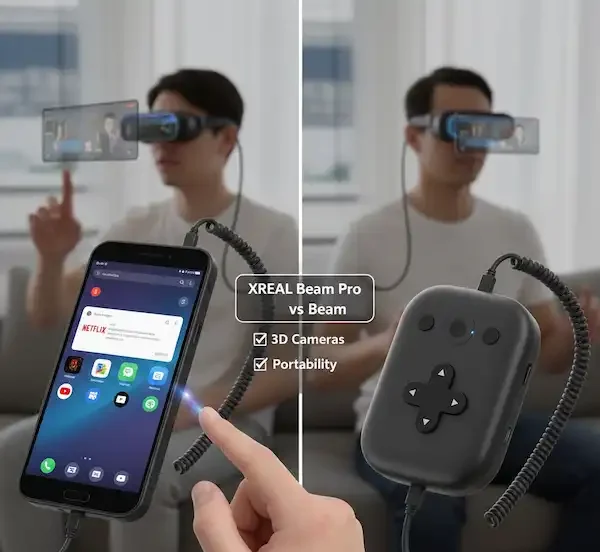
The Reality of Choosing Your AR Hub
If you’ve spent any time in the AR community lately, you know the struggle of trying to make “spatial computing” actually work in the real world. I’ve spent the last two years tethered to various pucks, phones, and adapters, trying to turn a pair of sunglasses into a functional workstation. When XREAL first dropped the original Beam, it felt like a band-aid—a necessary one, but a band-aid nonetheless. Now that we have the Pro version, the conversation has shifted.
The question isn’t just which one is better on paper. It’s about whether you want a dedicated media controller or a spatial computing hub that behaves like a smartphone. In this deep dive, we’re breaking down the XREAL Beam Pro vs XREAL Beam based on hundreds of hours of actual use, from long-haul flights to trying to get actual work done at a coffee shop.
The Evolution of the “Puck”
The original XREAL Beam was a compact, iPod-esque device. It was designed to do one thing: provide a stable, “pinned” screen experience (3DoF) for any device you plugged into it. It was a bridge. You’d plug your Nintendo Switch into the Beam, then the Beam into your glasses, and suddenly that shaky handheld screen was a 130-inch display floating fixed in space.
But the original Beam had quirks. It got hot—sometimes “pocket-warmer” hot—and the battery life was a constant race against the clock. More importantly, it was a closed system. You couldn’t just “install” apps easily without jumping through sideloading hoops that felt like 2010-era Android hacking. When looking at the XREAL Beam Pro vs XREAL Beam, the first thing you notice is the massive leap in software accessibility.
Enter the XREAL Beam Pro. This isn’t a puck; it’s a slab. It looks exactly like a mid-range Android phone because, for all intents and purposes, it is. It has a 6.5-inch touchscreen, dual USB-C ports, and full access to the Google Play Store. This shift aligns with the broader industry trend of moving away from tethered accessories toward standalone spatial units, a concept Qualcomm has been championing with their Snapdragon XR platforms.
Key Hardware Comparison
| Feature | XREAL Beam (Original) | XREAL Beam Pro |
| Form Factor | Small remote/puck | Smartphone-style slab |
| Operating System | Custom Android (Closed) | NebulaOS (Android 14) |
| Input Method | Physical buttons / D-pad | Touchscreen / Air Mouse |
| App Support | Limited / Sideloading | Full Google Play Store |
| Cameras | None | Dual 50MP 3D Spatial Cameras |
| Ports | 2x USB-C (In/Out) | 2x USB-C (Charging/Glasses) |
| Connectivity | Wi-Fi 5, BT 5.0 | Wi-Fi 6, BT 5.2, 5G (Optional) |
The Big Switch: Why the Screen Matters
When comparing the XREAL Beam Pro vs XREAL Beam, the most immediate difference is how you interact with your content.
On the original Beam, you were navigating menus with a physical D-pad. It was fine for Netflix, but a nightmare for anything else. The Beam Pro uses its own screen as a giant touchpad. When you plug in your glasses, the Beam Pro screen goes dark or turns into a controller. You move your hand, and a laser pointer appears in your AR field of vision.
From an industry insider perspective, this was XREAL’s “iPhone moment.” They realized that to make spatial computing viable, they needed a familiar input method. Using a touchscreen to navigate a 3D space is significantly more intuitive for most people than clicking a plastic button 20 times to reach the “Settings” menu. This mirrors the interface evolution we’ve seen in high-end headsets like the Apple Vision Pro, where intuitive interaction is the priority. Many enthusiasts find that the XREAL Beam Pro vs XREAL Beam debate is settled purely by the quality of this navigation experience.
Personal Experience: The “Commuter Test”
I took both devices on a trip from New York to London to see how they’d hold up.
With the original Beam: I had to carry a mess of cables. To watch a movie from my iPhone (pre-USB-C models), I needed the Apple Lightning adapter, the XREAL adapter, and then the Beam. By the time I was set up, my tray table looked like a bomb disposal unit. The Beam would last about 3 hours before it started screaming for juice.
With the XREAL Beam Pro: The experience was night and day. Because the Beam Pro has the apps on the device (Netflix, Disney+, YouTube), I didn’t need my phone. I just downloaded my shows to the Beam Pro’s microSD card and plugged the glasses directly into the dedicated port. Having two USB-C ports is the real hero here—one for the glasses and one for a power bank. I watched movies for the entire 7-hour flight without ever worrying about battery. If you are comparing the XREAL Beam Pro vs XREAL Beam for travel, the Pro is the clear winner.
3D Spatial Video: The Hidden Gem
One thing that often gets lost in the XREAL Beam Pro vs XREAL Beam discussion is the camera system. The original Beam has no camera. The Beam Pro has two 50MP sensors spaced specifically to mimic human eye interpupillary distance.
This allows you to record “Spatial Video.” If you’ve seen the marketing for recent spatial devices, you know the pitch: capturing memories in 3D so you can relive them later. The Beam Pro does this for a fraction of the cost. I’ve started recording my daughter’s birthday parties with it, and watching those clips back through the Air 2 Pro glasses is genuinely emotional. The depth is real, and unlike the “janky” 3D of the past, it doesn’t make me nauseous. This technology is built on the stereoscopic imaging principles used in professional 3D cinematography.
Insider Tip: If you’re a developer or a prosumer, the Beam Pro is currently the most affordable way to create 3D content for the AR ecosystem. It’s basically a $200 3D camera that happens to run Android. For content creators, the XREAL Beam Pro vs XREAL Beam comparison isn’t even close; the Pro is a necessary tool.
Android vs iPhone: The Compatibility Maze
This is where things get tricky for the average user.
If you are an iPhone user:
Most modern iPhones (iPhone 15 and 16 series) have USB-C with DisplayPort output. You can plug your XREAL glasses directly into the phone and get a mirrored screen. However, you won’t get “spatial” features. The screen will just follow your head everywhere you look.
If you want the screen to stay “pinned” in one spot (Body Anchor mode), you need a Beam. This is why many iPhone users still buy the original Beam. It acts as the spatial processor that the iPhone lacks. You can find more details on how these display standards work at the Video Electronics Standards Association (VESA). Evaluating the XREAL Beam Pro vs XREAL Beam for an iPhone setup depends on whether you want a bridge for your phone or a replacement for it.
If you are an Android user:
If you have a high-end Samsung (with DeX) or a Pixel, you already have a great experience. But even then, the Beam Pro offers something your phone doesn’t: NebulaOS.
NebulaOS allows you to open two apps side-by-side in your AR view. Imagine having a browser open on your left and a YouTube video on your right, both floating in your living room. Your standard Samsung or Google phone can’t do that natively in the glasses without the Nebula app, which can be buggy on some handsets. This multitasking ability is a huge factor when weighing the XREAL Beam Pro vs XREAL Beam.
Thermals and Performance
Let’s be honest: the original Beam was a little toaster. It had an internal fan that would kick in during heavy 3DoF processing, and you could definitely feel it in your pocket.
The XREAL Beam Pro handles heat much better. It uses the Snapdragon 6 Gen 1 spatial companion processor. While it’s not a “flagship” chip by gaming phone standards, it’s optimized for AR. In my testing, it stays cool during standard movie streaming. It only starts to break a sweat when I’m running two intensive apps at once, like a 3D game and a high-res video stream. You can see how this chip compares to others on Geekbench to get a feel for its raw power. In the category of sustained performance, the XREAL Beam Pro vs XREAL Beam battle goes to the Pro.
Limitations to Consider
It’s not all sunshine and spatial rainbows. There are a few areas where the original XREAL Beam actually wins:
- Hardwired Gaming: If you want to plug in a Nintendo Switch or a Steam Deck via USB-C, the original Beam is much easier. The Beam Pro is focused on wireless streaming (PS Remote Play, Xbox Cloud Gaming).
- Size: The original Beam is undeniably more pocketable. If you just want to “pin” a screen and go, the puck is less intrusive than carrying a second “phone.”
- Physical Controls: Sometimes, I miss the clicky buttons. Trying to use an “air mouse” on the Beam Pro while walking or on a bumpy bus can be frustrating. The original Beam’s D-pad is foolproof.
Which One Should You Buy?
Buy the XREAL Beam (Original) if:
- You primarily want to use your glasses with a gaming console (Switch, Steam Deck, PS5).
- You are an iPhone user who only cares about “pinning” your screen in space and doesn’t want a second Android device.
- You want the cheapest entry point into 3DoF tracking.
Buy the XREAL Beam Pro if:
- You want a “complete” spatial computing experience with multi-window support.
- You want to download apps directly from the Google Play Store (Netflix, Prime Video, etc.) without a phone.
- You are interested in capturing 3D spatial photos and videos.
- You value battery life and want to charge your device while using your glasses.
When considering the XREAL Beam Pro vs XREAL Beam, the Pro is for those ready to embrace AR as a primary computing platform.
Additional Thoughts from the Trenches
After living with both, my original Beam is mostly gathering dust in a drawer. The friction of the original device—the heat, the limited apps, the single port—just makes it hard to recommend over the Pro.
The XREAL Beam Pro feels like the device XREAL wanted to make from the start. It turns the glasses from a “fancy monitor” into a “spatial computer.” Even as an iPhone user, I find myself carrying the Beam Pro because it’s just easier to have all my media and AR apps in one dedicated hub.
If you’re still on the fence about XREAL Beam Pro vs XREAL Beam, look at your bag. If it’s full of adapters and cables, get the Pro. If you just want to play Mario Kart on a 130-inch screen while lying in bed, the original Beam will serve you just fine.
FAQ: XREAL Beam Pro vs XREAL Beam
Q: Can I use the Beam Pro as a regular phone?
A: Not really. The 5G version supports data and SMS, but it isn’t designed for traditional carrier calls. It doesn’t have an earpiece speaker.
Q: Do I need a Beam to use XREAL glasses?
A: No. You can plug XREAL glasses into any device with a USB-C DP Alt Mode port. However, without a Beam or Beam Pro, you won’t get “spatial” features. For a list of compatible devices, you can check XREAL’s official support forums.
Q: Does the Beam Pro work with other brands of AR glasses?
A: It’s optimized for XREAL. While it uses standard USB-C DisplayPort output, the NebulaOS features and 3DoF tracking are proprietary to XREAL hardware.
Q: Is the original Beam being discontinued?
A: XREAL hasn’t officially killed it off, but support for the original Beam has slowed down as they focus on NebulaOS and the newer hardware.
Additional Helpful Information
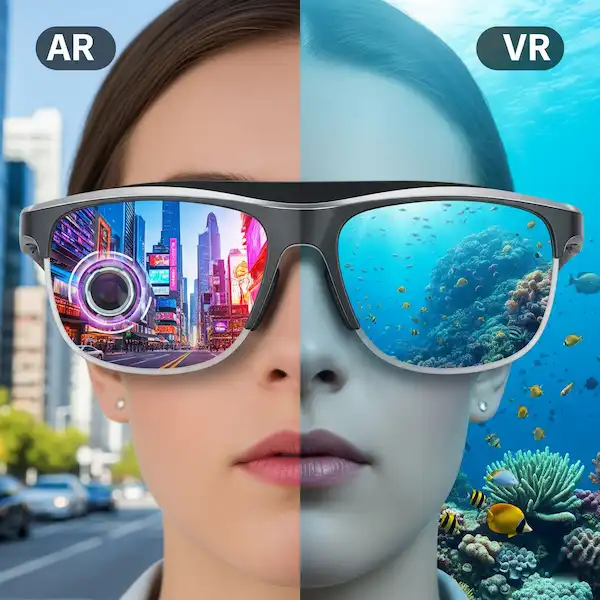
Read more about AR tech – AR vs VR Glasses The Differences, Real-World Use, and Future Tech