The Real Truth About Finding Quality Smart Glasses Under $100 in 2026
If you’ve been following the wearable tech scene lately, you’ve probably seen the sleek ads for $400 Ray-Ban Metas or those high-end AR visors that cost as much as a used car. It’s easy to get discouraged and think that the world of smart eyewear is reserved for big spenders. But as someone who has been tinkering with head-mounted displays since the original “Explorer Edition” of Google Glass, I can tell you that the landscape has changed drastically.
In 2026, the “budget” sector isn’t just a graveyard of plastic junk anymore. You can actually find a functional, stylish pair of smart glasses under $100 if you know where to look and, more importantly, what to compromise on. Whether you’re an iPhone devotee or an Android power user, there are options that bridge the gap between “regular spectacles” and “Inspector Gadget.”
Let’s dive into the reality of what your Benjamin can actually buy you today.
What Does “Smart” Even Mean at This Price Point?
Before we look at the hardware, we need to manage expectations. In the industry, we often talk about the “Three Pillars” of smart eyewear: Audio, Capture, and Display.
- Audio: Open-ear speakers that let you hear podcasts or take calls without stuffing buds in your ears.
- Capture: Tiny cameras that let you snap POV photos or videos.
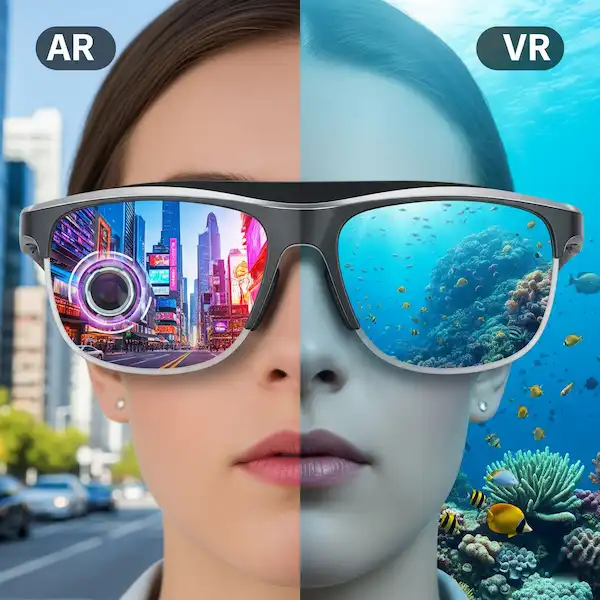
- Display: HUDs (Heads-Up Displays) that project text or images onto your lens.
When you are hunting for smart glasses under $100, you are almost always going to get Audio, sometimes Capture, and almost never a high-quality Display. Projecting light into a lens (Waveguide or Micro-OLED tech) is still expensive to manufacture reliably. Most sub-$100 “display” glasses you see on sites like AliExpress are often just basic notification tickers at best, or deceptive marketing at worst.
The Insider Secret: Why They Are Getting Cheaper
I recently spoke with a product lead at a major Shenzhen-based OEM who explained that the “commoditization of Bluetooth 5.4” is what saved the budget market. A few years ago, keeping a stable connection between your glasses and an iPhone was a nightmare. Now, the chips are so cheap and power-efficient that manufacturers can spend more on the frame materials and lens quality while keeping the price tag for smart glasses under $100.
Top Picks for Smart Glasses Under $100
1. The Audio Workhorse: Xiaomi Mijia Smart Audio Glasses
Xiaomi has been the king of the “value-to-performance” ratio for years. Their latest audio frames often hover right around the $85–$95 mark.
- The Experience: These are remarkably lightweight, often weighing under 30g. I wore a pair during a three-hour hike last month, and I genuinely forgot they had batteries in the temples. The “air conduction” tech means the sound stays directed at your ears, so the person sitting next to you on the bus isn’t forced to listen to your true-crime podcast.
- Pros: IP54 water resistance, 13-hour battery life, and they look like actual glasses. They support Google Fast Pair for Android users.
- Cons: No camera. If you want to record video, you’ll need to look elsewhere.
2. The Budget Content Creator: OhO Sunshine Waterproof Camera Glasses
If you’ve ever wanted to record a “hands-free” cooking video or capture a bike ride without mounting a GoPro to your forehead, OhO has been the reliable budget choice for a while. You can usually find their 1080p models for around $65 to $80 on Amazon.
- The Experience: The video quality is “social media good,” but don’t expect cinematic 4K. The stabilization is digital, so if you’re running, the footage will look a bit shaky. However, for $70, being able to tap a temple and record a memory is a game-changer for smart glasses under $100.
- Pros: Easy “one-button” recording; works seamlessly as a mass storage device on PC/Mac.
- Cons: They feel a bit “chunkier” than standard frames. People might notice the camera lens if they look closely.
3. The Minimalist: Jacuate Bluetooth Frames
These are for the people who just want to take phone calls while walking the dog. They often retail for as low as $45.
- The Experience: They are the “utility player.” The sound quality is thin on bass—don’t expect a concert in your head—but for clear voice calls, they are fantastic.
- Pros: Extremely affordable; very thin temples.
- Cons: Connectivity can be finicky if your phone is in a back pocket.
Comparison Table: Feature Showdown
| Feature | Xiaomi Smart Audio | OhO Sunshine Camera | Jacuate Bluetooth |
| Primary Use | High-quality audio/Calls | POV Video/Photo | Basic calls/Entry-level |
| Camera | No | 1080p / 30fps | No |
| Battery Life | ~13 Hours | ~60 mins recording | ~5 Hours |
| Water Resistance | IP54 (Splashes) | IP66 (Heavy Rain) | None |
| Compatibility | iOS & Android | Universal (Internal Storage) | iOS & Android |
| Est. Price | $89 | $75 | $49 |
Real-World Use Cases: Beyond the Gimmick
I used to think smart glasses under $100 were just for tech nerds, but after living with them for two years, they’ve solved some surprisingly “human” problems for me.
1. The “Socially Acceptable” GPS
When I’m in a new city, I hate walking around with my phone held out like a dowsing rod. With audio glasses, I just pipe the Google Maps turn-by-turn directions into my ears. I look like a local just enjoying a stroll, while a calm voice tells me to “turn left in 200 feet.”
2. Driving and Safety
I’m a firm believer that open-ear audio is safer for driving than earbuds. You can hear your navigation or a phone call, but you can also hear the siren of an approaching ambulance or the screech of tires. It keeps your situational awareness at 100% while wearing smart glasses under $100.
3. The “Hands-Busy” Parent
My sister started wearing a pair of budget camera glasses because she realized she was missing all the “candid” moments with her toddler. By the time she pulled her iPhone out of her pocket, the cute face or the first step was over. With the glasses, she just taps the side, and the memory is saved.
The Pros and Cons of Going Budget
The Pros:
- Low Risk: If you drop a $400 pair of glasses in a lake, you’ll cry. If a $60 pair of OhOs gets scratched, it’s a bummer, but not a financial catastrophe.
- Style Variety: Budget brands often experiment more with frame shapes. You aren’t locked into the “Wayfarer” look when buying smart glasses under $100.
- Battery Modularity: Surprisingly, some cheaper glasses have “dumb” frames where you can swap the battery temples out, extending the life of the product.
The Cons:
- App Ecosystem: Don’t expect a polished “Meta View” or Apple Health integration. Most smart glasses under $100 use generic apps that can be a bit buggy or have questionable privacy policies.
- Proprietary Chargers: Almost every budget brand uses a different magnetic pogo-pin charger. If you lose that cable, finding a replacement can be a nightmare.
- Audio Leakage: On the cheaper end, the speakers aren’t as directional. If you’re in a quiet elevator, the person next to you will know you’re listening to music.
Industry Insight: The “White Label” Reality
Here is something most reviewers won’t tell you: A huge portion of the smart glasses under $100 you see on the market are the exact same hardware sold under different brand names. Companies like Goertek produce “white label” frames.
Small brands buy these in bulk, slap their logo on them, and sell them on Amazon. If you see two pairs of glasses that look identical but have different names, check the specs. They are likely identical. You can often save $20 just by picking the one with the less “premium” sounding brand name while searching for smart glasses under $100.
Compatibility: iPhone vs. Android
In 2026, the gap between how these work on different OSs has narrowed, but it’s still there.
- iPhone Users: iOS is notoriously restrictive with third-party hardware. If your budget glasses have a “smart assistant” button, it will likely trigger Siri. However, don’t expect them to show up in the “Find My” app unless they are officially MFi certified (which most smart glasses under $100 are not).
- Android Users: You generally get a bit more freedom. Many budget glasses have companion apps on the Google Play Store that allow you to remap the touch controls. Plus, Android’s Bluetooth handling for “Fast Pair” is starting to trickle down to even the cheaper chipsets.
Technical Maintenance for Longevity
One thing people forget when buying smart glasses under $100 is that they are still electronic devices. I’ve found that the hinges are the first thing to go. Unlike a pair of Ray-Bans, you can’t just tighten the screw indefinitely because there are tiny ribbon cables running through that hinge.
- Tip: Always use two hands to put them on and take them off. It prevents the frame from warping and keeps those internal connections from snapping.
- Storage: Most budget cases are soft pouches. Spend $10 on a hard-shell case. It’s the best insurance for your smart glasses under $100.
Why I Still Wear My $80 Pair
Despite having access to the latest tech, I often reach for my Xiaomi frames. Why? Because they feel like glasses. High-end AR glasses are often heavy and make you look like you’re about to go welding. The smart glasses under $100 category has mastered the “stealth” look. I can walk into a grocery store or a meeting, and nobody asks, “What’s on your face?” That invisibility is a feature in itself.
Conclusion: Are They Worth Your Money?
If you are looking for a full AR experience where digital dragons fly around your living room, then no—budget smart glasses will disappoint you.
However, if you want a pair of “sunglasses with superpowers”—the ability to take a call while your hands are full, listen to music while staying aware of your surroundings, or capture a quick POV video—then the smart glasses under $100 market is finally ready for prime time.
My advice? Start with a pair of Xiaomi Smart Audio or OhO Sunshine frames. They represent the most stable entry points into the category. They won’t replace your smartphone, but they will certainly make you reach for it a lot less often.
FAQ
Q: Can I put my prescription lenses in budget smart glasses under $100?
A: Usually, yes! Most “Smart Audio” frames use standard lens-fitting techniques. You can take them to a local optician, though some might be hesitant to work on frames with electronics. Brands like Zenni Optical also offer compatible smart frames occasionally.
Q: How long do they actually last on a single charge?
A: For audio-only use, expect 4 to 13 hours of active playback depending on the model. If you are recording video constantly, most smart glasses under $100 will die in under 60 minutes. They are meant for “burst” use.
Q: Are they waterproof?
A: “Water-resistant” is the better term. Most are rated IP54 or IP66, meaning they can handle sweat and rain. Do not take your smart glasses under $100 swimming or in the shower unless the box explicitly says “IPX8.”
Q: Will people know I’m recording them?
A: Legally and ethically, you should always tell people. Most camera glasses have a small LED that lights up when recording, but it’s often tiny. Always be mindful of privacy laws in your local area when using smart glasses under $100.
Q: Do they get hot on your face?
A: On the cheaper end, the processors can get warm during long phone calls or extended video recording. It’s rarely “burning” hot, but you might feel a slight warmth near your temples with certain smart glasses under $100.
Additional Helpful Information
- Read more about cheap vs expensive smart glasses – Cheap vs Expensive Smart Glasses