Why I Ditched My Camera Rig for a Pair of Frames
The first time I tried to film a “day in the life” reel using a chest-mounted GoPro. I looked like I was heading into a tactical extraction mission just to document a latte pour. By the time I wrestled the harness over my sweater, the lighting had shifted, my coffee was cold, and I felt completely disconnected from the moment. It was a wake-up call that if I wanted to capture my life authentically, I needed a tool that sat where my eyes are.
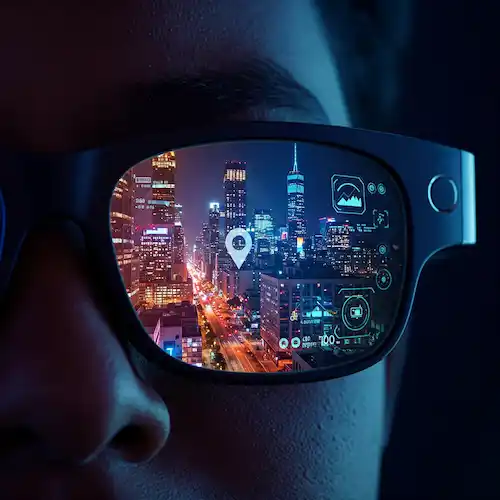
Fast forward to 2026, and the game has changed entirely. If you’ve been scrolling through TikTok or Reels lately, you’ve likely seen footage that feels impossibly intimate—like you’re literally standing in the creator’s shoes. That’s the magic of POV smart glasses. We aren’t just talking about “spy glasses” or tech toys anymore; we are talking about legitimate production tools that fit on your face and disappear into your style.
Currently, the scene is being dominated by two heavyweights: the Ray-Ban Meta Gen 2 and the newly released Oakley Meta Vanguard. I’ve spent the last three months putting both through the wringer, from chaotic street photography in Tokyo to quiet cooking sessions in my kitchen. Here is the unfiltered truth about which pair of POV smart glasses actually belongs in your gear bag and how they can transform your workflow.
Why the Shift to Smart Glasses?
As creators, we’ve reached a point of “phone fatigue.” Holding a slab of glass at arm’s length kills the vibe of whatever you’re actually doing. Modern POV smart glasses allow you to keep your hands free while capturing 3K video that is surprisingly stable. When you aren’t worried about dropping a $1,200 phone, you take more creative risks.
The real “insider” secret to these devices isn’t just about the resolution. It’s about the Field of View (FOV). Traditional cameras often feel too zoomed in, but the latest POV smart glasses use ultra-wide lenses—around 120 degrees—that mimic human peripheral vision. According to optical experts at EssilorLuxottica, this alignment with the natural eye-line is what makes the footage feel so immersive. When you watch the playback, it doesn’t look like a recording; it looks like a memory.
Use Cases That Actually Work
- The “Get Ready With Me” (GRWM) Crowd: No more tripod-shuffling or balancing your phone on a pile of books. You can film your makeup or fit-check in the mirror while seeing exactly what your audience sees through your POV smart glasses.
- Food Creators: Filming a recipe used to require a complex overhead rig. Now, I just wear my frames. The 3K detail on the Ray-Ban Meta Gen 2 picks up the shimmer of olive oil and the texture of sourdough in a way that feels tactile.
- Adventure Vloggers: The Oakley Meta Vanguard is the rugged sibling here. With its IP67 rating, I’ve taken these POV smart glasses through dust storms and heavy rain without a flinch.
- Educational Content: If you are a mechanic, a painter, or a surgeon, showing exactly where your hands are placed is invaluable. These POV smart glasses provide a perspective that a cameraman standing over your shoulder simply cannot replicate.
The Contenders: Ray-Ban Meta Gen 2 vs. Oakley Meta Vanguard
When Meta announced the second generation of their partnership with the world’s leading eyewear brands, the tech world expected a spec bump. What we got was a fundamental shift in how the sensor processes light, especially in these POV smart glasses.
Ray-Ban Meta Gen 2: The Lifestyle King
The Ray-Ban Meta Gen 2 is what I wear 90% of the time. They look like classic Wayfarers, meaning I can walk into a high-end restaurant or a business meeting without looking like a “tech bro.” They are the most socially acceptable POV smart glasses on the market today.
- Video Quality: It shoots in a vertical 3K format (3024 x 4032) which is a dream for Reels. The high-dynamic range (HDR) has been significantly improved. I noticed that when I’m filming outdoors, the sky doesn’t just blow out into a white blob; you actually see the clouds.
- Stabilization: This is the unsung hero. Meta uses electronic image stabilization (EIS) that is scarily good. I’ve filmed myself running to catch a train, and the footage from these POV smart glasses looked like it was on a gimbal.
- Battery Life: You get about 4 to 5 hours of “creator use”—meaning a mix of photos, short clips, and some music. The leather charging case is the real MVP, though, holding enough juice for 8 full recharges.
Oakley Meta Vanguard: The Performance Beast
The Vanguard is for when things get serious. Released in late 2025, these were designed with a “shield” lens (the Sphaera style) that wraps around your face. These are the POV smart glasses you want if you’re moving fast.
- The “Vanguard” Edge: While the Ray-Bans are for the coffee shop, the Vanguards are for the mountain bike trail. They offer a slightly wider 122° FOV.
- Battery Life: These win on endurance. I’ve squeezed nearly 9 hours out of a single charge because the frame is larger, allowing for a higher-density battery cell.
- Industry Insight: One thing the manuals don’t tell you is that the Vanguard handles wind noise much better. If you’re a creator who does “walk and talk” content in windy cities, the 5-mic array on these POV smart glasses is tuned to filter out that low-end rumble that usually ruins audio.
The Tech Deep Dive: 3K, Stabilization, and Reality
Let’s get technical for a second. Why 3K? Why not 4K?
In the engineering of POV smart glasses, thermal management is the biggest hurdle. A tiny processor sitting an inch from your temple can’t handle the heat of 4K 60fps without creating discomfort. Companies like Qualcomm, who provide the chips for these devices, have optimized for the 3K “sweet spot.” It provides enough pixel density that you can crop into the frame for a TikTok without losing sharpness, but it keeps the glasses cool enough to wear all day.
Comparison Table: Specs at a Glance
| Feature | Ray-Ban Meta Gen 2 | Oakley Meta Vanguard |
| Video Resolution | 3K (30fps) | 3K (30fps) / 720p (120fps) |
| Weight | 51g (Wayfarer) | 66g |
| Water Resistance | IPX4 (Splashes) | IP67 (Dust/Immersion) |
| Battery (Single Charge) | ~4-5 Hours | ~8-9 Hours |
| Primary Use | Everyday Lifestyle | High-Action / Sports |
Pro Tip: If you’re filming for YouTube, the vertical-only capture of these POV smart glasses can be a limitation. However, in 2026, many creators are using the 3K vertical footage and “boxing” it within a 4K landscape frame for a stylized “found footage” look that performs very well with younger audiences.
Living with the Tech: A Creator’s Perspective
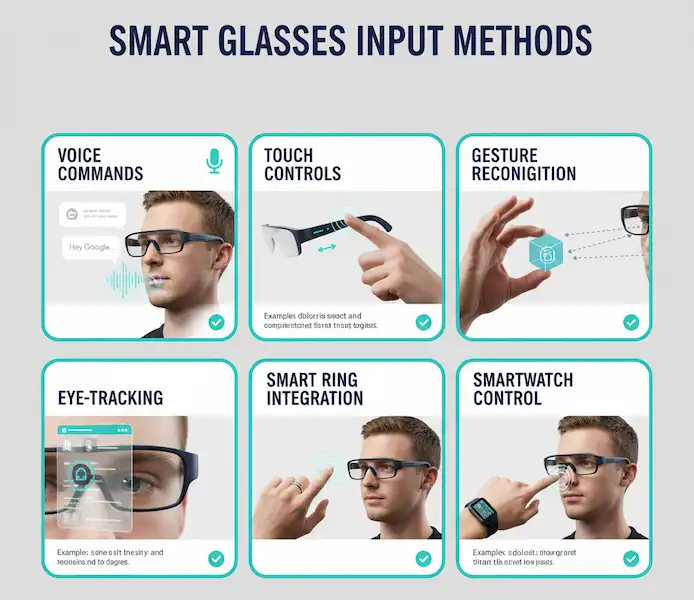
I recently used my POV smart glasses to film a street food tour. The most powerful part wasn’t the camera—it was the Live AI integration. I could look at a menu in a language I didn’t speak and ask, “Hey Meta, what’s the most popular dish here?” and it would whisper the answer into my ear through the open-ear speakers.
For a creator, this is a productivity hack. You can narrate your videos in real-time with facts provided by the AI, making your content more educational without you having to memorize a script beforehand. This integration is a huge leap forward for POV smart glasses, moving them from simple cameras to actual smart assistants.
The Privacy Elephant in the Room
We have to talk about the LED. Both the Ray-Ban and Oakley models have a prominent white light that turns on when you’re recording. In the early days, people were wary. Now? Most people in tech-centric cities recognize it. It’s become a social cue. If that light is on, I’m “in the zone.” However, as a creator, it is vital to follow privacy guidelines and be respectful of people’s space. I usually tell people, “Hey, I’m filming a POV of this meal,” and 99% of the time, they think the POV smart glasses are just cool tech.
Is the Battery Actually Enough?
This is the question I get asked most in my DMs. “Can I film a whole vlog?”
The short answer is: no, not continuously. If you try to record a 30-minute straight clip, the POV smart glasses will either overheat or drain the battery rapidly. These are designed for moments. I use them to capture 60-second “bursts” of action.
If you’re a heavy user, you need a workflow. I record a clip, pop the POV smart glasses back in the case for 10 minutes while I’m walking to the next location, and they’re back at 100%. It’s a rhythmic way of creating that actually prevents you from over-filming and making your editing process a nightmare later.
Final Thoughts: Which One Should You Buy?
If you want to start making more immersive content, you really can’t go wrong with the current generation of POV smart glasses. They have finally reached the point where the hardware isn’t a distraction from the creativity.
- Buy the Ray-Ban Meta Gen 2 if: You value style and want a pair of glasses that can go from the office to the party. They are lighter, more comfortable for long-term wear, and the 3K video is more than enough for 99% of social media creators.
- Buy the Oakley Meta Vanguard if: You are an athlete, a traveler, or someone who creates “high-intensity” content. The extra battery life and the rugged build make them the “Land Rover” of the POV smart glasses world.
The era of holding your phone like a periscope is ending. The best POV smart glasses are the ones that disappear into your life until the moment you need to hit “record.” They allow you to be present in the world while still capturing it for your audience, and in 2026, that is the ultimate creator flex.
Frequently Asked Questions
Can I get prescription lenses in these?
Yes! The Ray-Ban Meta Gen 2 has fantastic support for prescription lenses through LensCrafters and other official channels. The Oakley Meta Vanguard is a bit trickier due to its wrap-around shield design, but many third-party labs are now offering “prescription inserts” for them.
How do I get the footage off the POV smart glasses?
Everything syncs via the Meta View app. It uses a dedicated Wi-Fi bridge between the glasses and your phone, so even large 3K files transfer in seconds. From there, you can send them straight to CapCut or Instagram.
Is the audio quality good enough for a podcast?
Surprisingly, yes for solo narrations. The beam-forming microphones on these POV smart glasses are designed to focus on your voice and suppress background noise. It’s not a professional studio mic, but for a “walk and talk” Reel, it’s significantly better than your phone’s built-in mic.
Do they work with Android?
Absolutely. While Meta is often associated with a certain ecosystem, the Meta View app works seamlessly on both iOS and the latest Android builds.
What happens if I lose the charging case?
You’re in trouble. The case is the only way to charge these POV smart glasses (they don’t have a USB-C port on the frames themselves to keep them slim). Replacement cases are available, but they’ll run you about $80. Treat that case like gold.
Additional Helpful Information
- More about how to capture videos and photos on smart glasses – How to Capture Photos and Videos with Smart Glasses?