The Dawn of the All-Day Wearable
For years, the dream of wearable tech was always hampered by one annoying reality: if you actually need glasses to see, the hardware was usually a nightmare to live with. I’ve spent the last decade swapping between heavy VR headsets and “smart” frames that felt like wearing a brick on my nose. But as we move through 2026, the industry has finally hit a tipping point. The friction is vanishing, and the era of the daily driver has arrived.
The latest wave of prescription smart glasses isn’t just about sticking a camera on a frame; it’s about replacing your “analog” glasses entirely. Whether you are eyeing the minimalist heads-up display of the Even Realities G2 or the massive virtual screens of the Viture Luma Pro, the goal is the same: all-day wearability without the bulky aesthetic of the past.
Why the “Prescription Gap” Finally Closed
If you’ve ever tried to use first-gen AR tech, you know the struggle. You either had to wear your contacts—which dry out after four hours of screen time—or fumble with flimsy “prescription inserts” that look like something out of a 1950s lab.
The industry has shifted toward two distinct philosophies that make all-day wear possible for anyone seeking prescription smart glasses that actually work.
- The Bonded Lens: Companies like Even Realities are now bonding the waveguide (the part that shows the digital stuff) directly to a digitally surfaced prescription lens. No inserts. No gaps for dust. Just one lens that looks like a normal pair of glasses.
- Built-in Diopter Dials: For the “big screen” glasses, we’re seeing adjustable dials. If you’re nearsighted, you just turn a wheel until the image is sharp. This eliminates the need for extra glass between your eye and the display.
The Top Contenders for Your Face in 2026
1. Even Realities G2: The “Invisible” Productivity Tool
I’ve been wearing the G2s for three weeks now, and they are the first pair that my wife didn’t realize were “smart” until I started nodding at invisible notifications. At just 36 grams, these prescription smart glasses weigh about the same as a chunky pair of Ray-Bans.
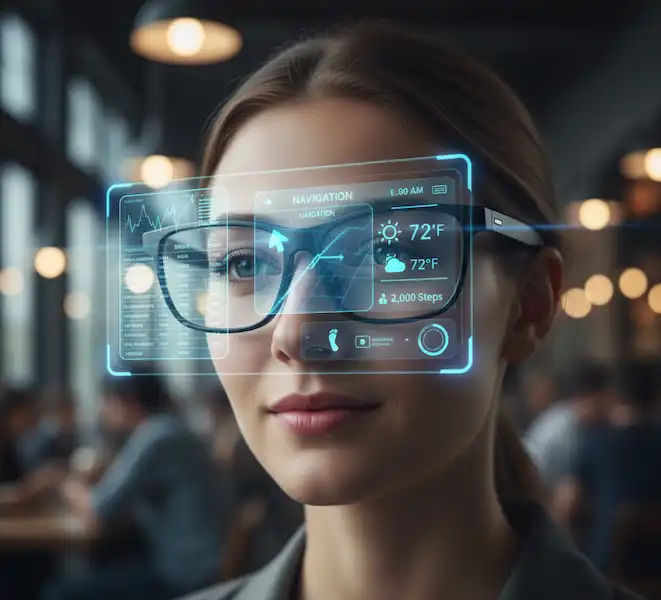
- The Tech: They use a Micro-LED waveguide. It’s not for watching movies; it’s for seeing your calendar, live-translating a conversation in a coffee shop, or following a teleprompter while you’re giving a presentation.
- Prescription Integration: They offer high-index options (up to 1.74), which is crucial if you have a “coke-bottle” prescription.
- Real-World Use: I used these during a trip to Tokyo last month. Seeing real-time subtitles of what the waiter was saying appearing right in my line of sight felt like living in a sci-fi novel.
2. Viture Luma Pro: The Mobile Cinema
If the G2 is a notepad, the Viture Luma Pro is a 135-inch OLED TV. These are for the person who wants to answer emails on a massive floating screen while on the train but still needs to see the world clearly. They represent a different take on prescription smart glasses by focusing on high-fidelity media.
- The Magic Dial: The Luma Pro features diopter adjustment dials for each eye (up to -4.0). If you’re mildly nearsighted, you don’t even need a prescription. You just dial it in.
- The Insider Secret: Most people don’t realize that “Birdbath” optics (what Viture uses) are naturally thicker than waveguides. However, Viture has balanced the weight so well that the “front-heavy” feeling of older models is mostly gone.
- Best For: Steam Deck gaming or MacBook Pro “spatial” multi-monitor setups.
3. Ray-Ban Meta (Gen 2): The Social Butterfly
You can’t talk about prescription smart glasses without mentioning the most popular style on the market. These don’t have a visual display, but they have the best cameras and AI integration available today.
- Optics: You can get these made with official Transitions lenses or polarized prescriptions.
- The Experience: I use these for “POV” cooking videos and taking calls while walking the dog. The open-ear audio is so good you’ll forget you’re wearing them—until the AI whispers a reminder in your ear.
Comparison Table: Which One Fits Your Life?
| Feature | Even Realities G2 | Viture Luma Pro | Ray-Ban Meta |
| Primary Use | Productivity / Notes | Movies / Gaming | Social / AI Audio |
| Weight | ~36g (Very Light) | ~78g (Moderate) | ~49g (Light) |
| Display Type | Micro-LED Waveguide | Micro-OLED Birdbath | None (Audio/Camera) |
| Prescription Type | Bonded (Built-in) | Diopter Dials or Insert | Traditional Frame Fit |
| Battery Life | 2 Days (Intermittent) | Powered by Device | 4-6 Hours |
Living with Prescription Smart Glasses: An Insider’s Take
As someone who has worked with wearable tech developers, I’ve seen the “lab vs. reality” struggle firsthand. Engineers love features; users love comfort. Here is the “insider” truth about wearing prescription smart glasses all day.
The Weight Distribution Trap
Don’t just look at the total weight. Look at the bridge weight. A 50g pair of glasses with 80% of the weight on the nose pads will give you a headache in two hours. The Even Realities G2 succeeds because the battery and “brain” are tucked into the tips behind your ears, acting as a counterweight. When you’re shopping for prescription smart glasses, always check where the center of gravity sits.
The Blue Light and Coating Conflict
When you order your lenses, the “Blue Light Filter” is a hot topic. In many prescription smart glasses, some coatings can actually interfere with the internal reflection of the waveguide, causing a “ghosting” effect or weird purple flares. I always recommend going for a high-quality anti-reflective coating like the ones offered by Lensology, who specialize in these niche frames. They understand the “air gap” issues that standard opticians might miss.
Privacy and Social Friction
I’ve had more “Is that recording me?” questions with the Ray-Bans than any other model. If you’re in a professional setting, the G2 or a similar “screen-only” device is much safer. People tend to be less anxious when there isn’t a visible camera lens staring at them during a meeting. Choosing the right prescription smart glasses often depends on the social environment you frequent most.
Use Cases: Why You Actually Need These
1. The Power Commuter
Imagine being on a crowded subway. Instead of looking down at your phone (and ruining your neck), you’re looking straight ahead, reading a news brief or your morning emails on a transparent display. You still see the stop coming up, but your hands are free. For this person, prescription smart glasses are a literal pain-reliever for the neck.
2. The Remote Professional
I use the Viture Luma Pro to create a three-monitor setup while sitting in a coffee shop. I have my main laptop screen, then a Slack window to the left and a browser to the right. To everyone else, I’m just a guy in sunglasses. To me, I’m in a high-tech command center. This is the ultimate “work from anywhere” hack.
3. The “ADHD” Assistant
For those of us who struggle with focus, having a “persistent” checklist in the corner of our vision can be a game-changer. I set my prescription smart glasses to show me my next three tasks. It’s hard to get distracted by Instagram when your “to-do” list is literally hovering over your physical phone.
How to Order (The Correct Way)
Don’t just click “buy” and hope for the best. Modern prescription smart glasses require a bit more precision than your average pair of readers. Follow this process:
- Get a Fresh Exam: These devices are less forgiving than regular frames. If your PD (Pupillary Distance) is off by even 2mm, the digital display will look blurry or give you double vision.
- Verify the Range: Most diopter dials only go to -4.0 or -6.0. If you are a -8.0, you must use a pair of prescription smart glasses that supports high-index lens inserts or bonded lenses.
- Check HSA/FSA Eligibility: Since these are vision correction devices, most prescription smart glasses can be paid for using your health savings accounts. I saved nearly $200 on my last pair by using my FSA funds before they expired.
The Verdict: Are We There Yet?
Is it finally time to ditch your standard frames? If you spend more than four hours a day looking at a screen or needing hands-free info, yes.
The “friction” of the past is gone. We finally have frames that don’t make you look like an extra from a 90s sci-fi B-movie. My personal pick for 2026 is the Even Realities G2 for daily work life, as they are the most seamless prescription smart glasses I’ve ever tested. For travel and entertainment, the Viture Luma Pro is the winner.
The growth in the market for prescription smart glasses shows that consumers are tired of carrying multiple devices. We want one thing that helps us see the world and the data at the same time.
Frequently Asked Questions (FAQ)
Are prescription smart glasses heavy?
While they are heavier than titanium wire frames, the best models are now under 40 grams. For comparison, a standard pair of acetate “hipster” glasses is usually around 25-30 grams. The difference is negligible once you get used to the balance.
Can I use my insurance?
Many manufacturers are now “In-Network” with providers like VSP or EyeMed, or at the very least, they provide an itemized receipt for out-of-network reimbursement. Since the lenses are a medical necessity, that portion of the cost for your prescription smart glasses is almost always covered.
What happens if the battery dies?
With “bonded lens” models like the G2, they just become regular glasses. You can still see perfectly fine; you just lose the “smart” features. This is the biggest reason to choose prescription smart glasses that are built around the lens rather than “clip-on” style AR if you plan on wearing them as your primary vision correction.
Do they get hot?
Early models did. However, 2026 hardware uses much more efficient processors. You might feel a slight warmth near the temples if you’re streaming 4K video for an hour, but for text and notifications, most prescription smart glasses stay perfectly cool.
Is the display distracting while driving?
Legally, you should check your local laws. Most models have a “transparent” mode or a “tilt-to-wake” feature that keeps the display off until you look up or tap the frame. I personally keep mine in “Do Not Disturb” mode while driving, treating my prescription smart glasses just like a standard pair of spectacles for safety.
Can I get bifocals or progressives?
Yes! Many high-end labs are now able to surface progressive lenses into prescription smart glasses. This is a game-changer for users over 40 who need help with both the digital display and reading physical menus or phones.
Additional Helpful Information
- Read about smart glasses for low vision – Smart Glasses for Low Vision
- Learn more about adjustable smart glasses – Adjustable Focus Smart Glasses